A library that reads like a crate
A waveform on every row, with BPM and key in Camelot detected from the audio as you upload. Downloads for DJs carry the key and tempo in the file name.
For producers, labels and studios
Listncloud is a private cloud library built for music. Play everything on waveforms, pin feedback to the exact second, compare mixes side by side, master in the browser, and send finished tracks on to Listn Music or MLG.
14-day Professional trial on every new workspace. No card needed.
Features
A waveform on every row, with BPM and key in Camelot detected from the audio as you upload. Downloads for DJs carry the key and tempo in the file name.
Pull a track from the list into Pro Tools, Ableton, Logic, Cubase, Studio One or FL Studio. It arrives named and tagged, with no downloading first.
Title, artist, ISRC, BPM, key, publisher, artwork and the rest are written into every download, so nothing lands anywhere blank.
Comments pinned to a moment on the waveform, with mentions, replies, reactions and shared notes on every track.
Clients approve a track or ask for changes on the link you sent. Each decision is kept against the exact file they heard, and flagged when a newer one replaces it.
Give each person their own link, then see who opened it, how far they got in each track, and what they downloaded.
Song and master shares with PRO and IPI numbers, signed from a link with no account needed, and kept with the track.
EQ, dynamics, width and a true-peak limiter, plus LUFS and true peak measured to ITU-R BS.1770, so you know how it lands on streaming and in a club.
A drop page with your name on it. Producers send tracks and documents, and every file is checked to be real audio before it arrives.
Password, expiry and download controls, on a page in your own logo and colour.
Install it like an app and save a playlist to your device, so it plays on a plane, in a basement studio or on a bad hotel line.
Group playlists into projects with a status and a due date, and keep the files in your own Cloudflare R2 or Amazon S3 bucket if you prefer.
Who it's for
Send a mix to a client, hear back on the exact second, replace the audio when you fix it, and get it approved without a single "final_FINAL_v3" email.
Compare revisions side by side at matched loudness, check LUFS and true peak before it goes out, and keep a record of what the client signed off on.
One private home for every demo and version, with notes and comments in the same place as the music, and playlists that play offline on tour.
Take demos through a drop page instead of your inbox, share a shortlist with a link per person, and see who really listened before the meeting.
Roles for everyone, invite links, split sheets signed by the whole room, and a hand-off to sync and distribution when the track is ready.
Deliver sessions to clients under your own logo, take approvals in writing, and master in the browser without opening the session again.
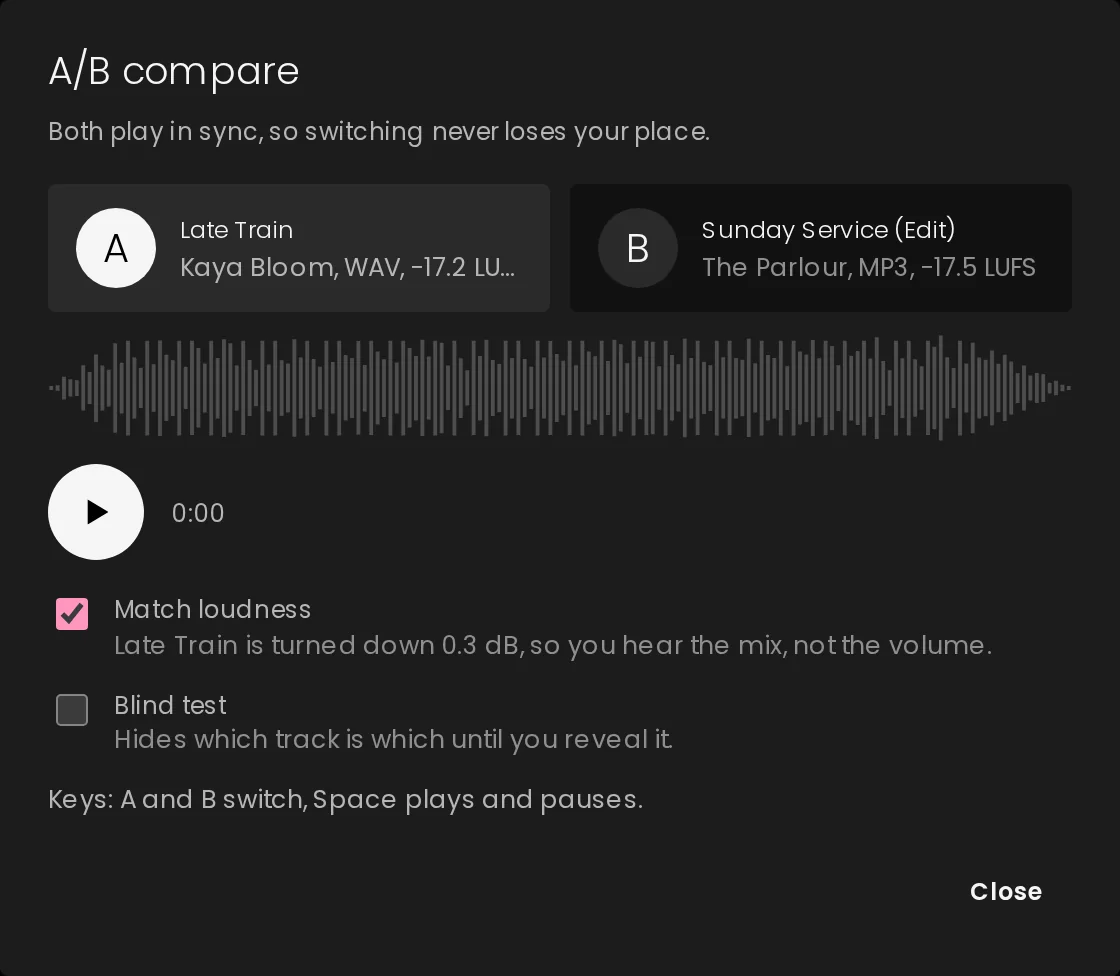
A/B compare
Pick any two tracks, or two versions of the same track, and they play in lock-step. Switch between them and you stay on the same second, so you're judging the music instead of hunting for your place.
Mastering
On Professional and Business, open any track in the mastering console and shape it with a high-pass filter, two parametric EQs, sub-bass and tone, multiband dynamics, stereo width and a true-peak limiter. Save, and the mastered file becomes the track everyone hears. The original stays in Versions.
See everything the console does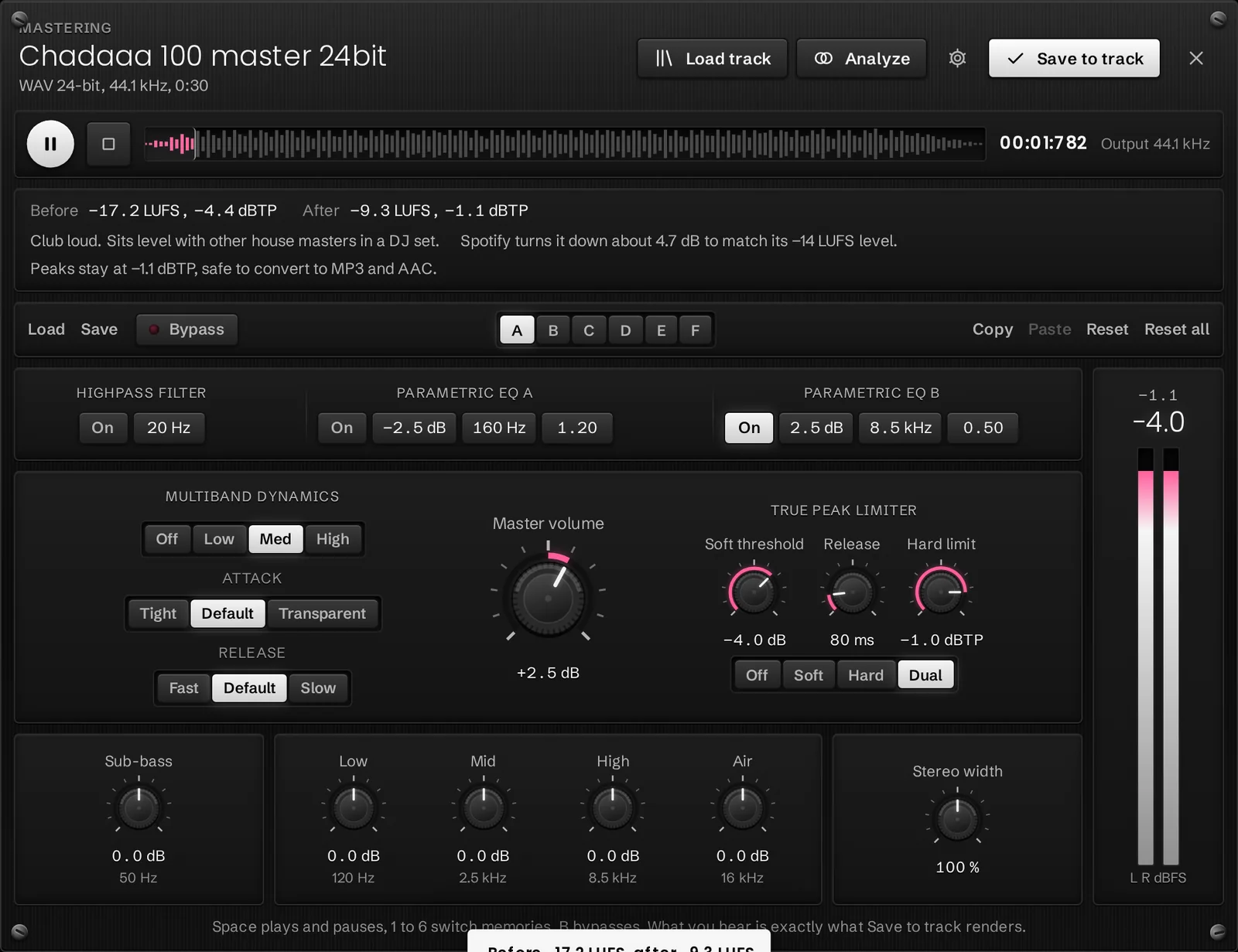
Pricing
Starter is free for one person. Professional and Business add mastering, A/B compare, branded links, the demo drop page, split sheets and client sign-off, with room for more people and storage.
Questions
MP3, WAV, AIFF, FLAC, M4A and OGG. Documents such as PDFs, Word files, spreadsheets and images can be attached to any track.
Only the people in your workspace. Anything you share goes out through a link you control, with an optional password and expiry, and you can switch the link off at any time.
Saving makes the mastered file the one that plays and shares, and keeps the file it replaced in Versions, so you can go back with one click.
Your workspace moves to Starter unless you choose a plan. You keep everything you uploaded; new uploads need to fit Starter or a paid plan.
Music Label Group, a music company in Washington, DC.
Set up a workspace in a minute and upload your first tracks. Every new workspace starts with a 14-day Professional trial.